How to scan documents with your phone for a job application
A lot of job and admission forms want your CV and your documents as one PDF, in a sensible order and under a size limit. You can do the whole thing with your phone camera and a browser.
The screenshots below come from a test with three sample documents and a short sample CV.
Step 1: photograph each page
- Use daylight near a window. Indoor bulbs give a yellow tint and shadows.
- Lay the page flat on a dark surface and keep the phone parallel to it.
- Fill the frame with the page, then crop away the edges in your gallery.
- Take one photo per page, including the back of a page only if it has something on it.
Step 2: put the photos into one PDF
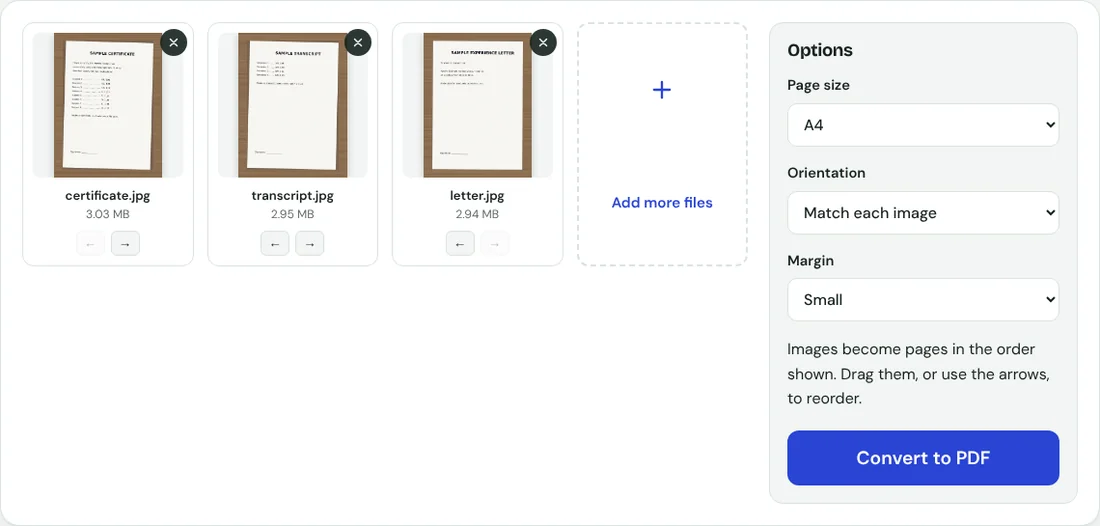
- Open JPG to PDF and add all the photos.
- Put them in the order the employer would read them, usually latest degree first, then transcripts, then experience letters.
- Choose A4 and a small margin. A4 is the paper size offices in Pakistan print on.
- Press Convert to PDF.
Any page that comes out sideways can be fixed afterwards with Rotate PDF.
Step 3: add your CV at the front
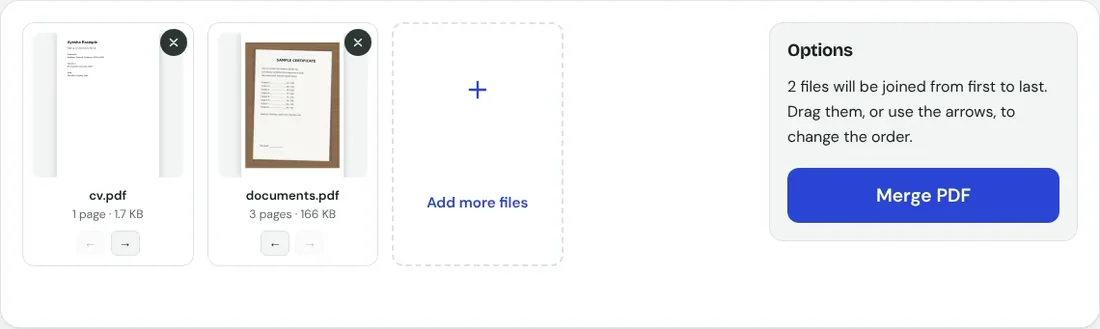
If your CV is already a PDF, open Merge PDF, add the CV and the documents file, and make sure the CV comes first. If your CV is a Word file, save it as PDF from Word or Google Docs first (File, then Download or Save as, then PDF).
Step 4: get it under the size limit
Our three photographed pages made an 8.34 MB PDF. Compressed at the Recommended level it was 166 KB, and after adding a one-page CV the final application file was 166 KB, small enough for most forms. If your form allows less, follow our guide to reducing a PDF to 200 KB or 100 KB.
Compress the documents before you merge them with your CV. That way the CV, which is usually typed, keeps its sharp, selectable text.
Before you press submit
- Open the final PDF and scroll through every page.
- Check names, roll numbers and dates are readable when zoomed in.
- Name the file sensibly, for example ayesha-khan-application.pdf, not IMG_2045.pdf.
- Keep the original photos until you have heard back, in case you are asked for a clearer copy.