How to convert a PDF to JPG images
Sometimes a PDF is the wrong format. You may need one page as a picture for a presentation, a social post, a website, or a chat app that does not take PDFs.
Converting each PDF page to a JPG takes about a minute, and it does not have to mean sending your document to someone else's server.
Convert PDF to JPG in four steps
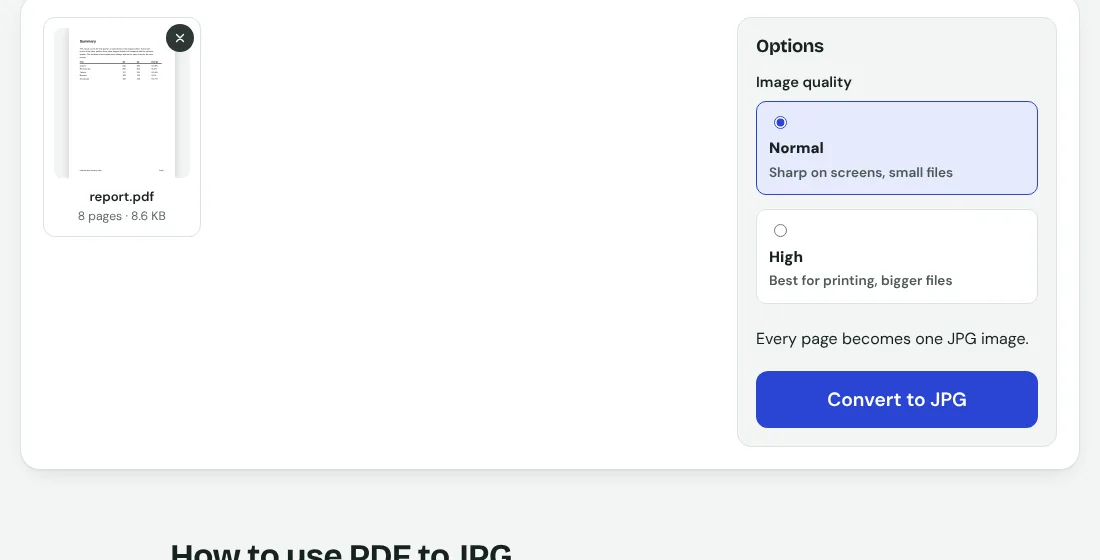
- Open the PDF to JPG tool.
- Add your PDF file.
- Choose Normal or High image quality, then press Convert to JPG.
- Download the pages one by one with their own Download links, or all together with Download all (ZIP).
Conversion happens in your browser, so confidential files such as contracts or ID cards stay on your device.
Normal or High quality?
High quality draws each page larger, so it is sharper but heavier. On an 8-page text report the Normal setting gave eight JPGs totalling about 325 KB, roughly 40 KB a page. High gave about 811 KB, around 100 KB a page.
For a slide, a chat message or a web page, Normal is usually plenty. Choose High when the page has small print or you plan to zoom in or print it.
When a JPG is the better choice
- Sharing a single page in WhatsApp, Instagram or other apps that prefer images.
- Putting a page of a document on a slide or web page.
- Sending a preview without handing over the whole selectable text.
- Uploading to a form that takes images but not PDFs.
Tips for good results
- Convert only the pages you need. Split the PDF first if it is long.
- If the images turn out too heavy, convert at Normal, or compress the PDF first.
- Zoom in on one result before you share, to be sure small text is readable.
- Keep the ZIP together so the page order stays obvious from the file names (report-page-1.jpg, report-page-2.jpg and so on).
JPG or PDF: which should you keep?
Keep the PDF as the master. Text stays text, it prints cleanly and can be searched. Use the JPG only as the copy you need to share as a picture. If you later want the pictures back in one document, JPG to PDF does that.
Privacy
Many converter sites upload your file, convert it on their server and promise to delete it later. Here the file never leaves your device.